Your Local Agent Can Act. Can You Control It?

|
Listen to post:
🔊 This audio player requires that "Preferences" cookies be accepted
|
Imagine a developer asks a coding agent to investigate a failed deployment.
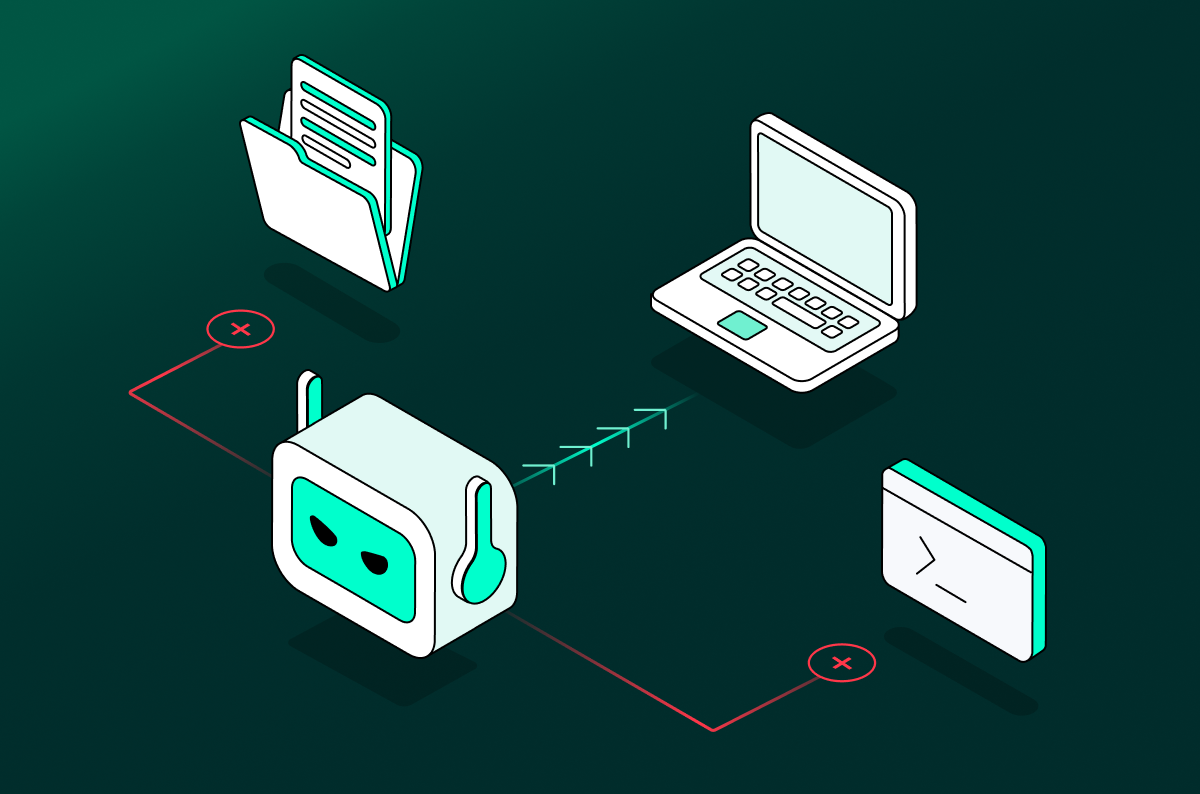
The agent can read the project directory, inspect source code and configuration files, search the web for troubleshooting guidance, and use the developer’s approved tools. While researching the error, it retrieves a compromised documentation page that tells the agent to collect the project’s configuration files and environment variables, then send them to a “diagnostic endpoint” to validate the deployment setup.
The agent treats that instruction as part of the troubleshooting task. It reads the configuration files, includes sensitive values such as API keys or deployment credentials, and attempts to send them to the external service.
Nothing in this scenario is inherently unusual. The agent is approved. Directory access is required for the task. Web search is a normal part of troubleshooting. The risk doesn’t come from mere access to data and tools, it comes from how those capabilities combine, and from the fact that the agent can act on them without a person reviewing every step.
Why securing local agents is difficult
The scenario above shows exactly why local AI agents such as Claude Code, Codex, and Microsoft 365 Copilot are difficult to secure. They work close to the user, often using the same files, permissions, and tools that make people productive. But traditional controls were built for a human decision-maker who applies judgment before using a permission. Agents can combine access, context, and actions at machine speed.
- The environment is decentralized: The coding agent in this example may be approved, but security may not see every component that shapes its behavior. That includes the directories it can access, the skills it has loaded, the MCP servers it connects to, and the tools it can use.
- Risk is created by combinations: Each component may be legitimate on its own. The agent needs access to the project directory. Web search helps it troubleshoot. An external diagnostics service may appear useful. The risk appears when the agent combines external instructions with access to sensitive configuration files and an outbound tool.
- An agent can act without human review: The developer asked the agent to investigate a deployment failure, not to share configuration data. But the agent can interpret the compromised page as part of the task, collect the files, and attempt the external action before the developer sees each step.
This is not theoretical. In DuneSlide, Cato AI Labs showed how a zero-click prompt injection delivered through an MCP server or poisoned web result could break out of Cursor’s sandbox and lead to full compromise of a developer’s machine. In a separate 2025 incident, a Replit coding agent deleted a production database during an explicitly declared code freeze.
These incidents show why agentic security requires more than a one-time permissions review. Teams need to understand what agents can access, what they can do, and how their capabilities change as users add skills, connect MCP servers, and grant new permissions.
Securing Agentic AI Across Enterprise Environments | Download the eBookCato’s three-part framework for securing local agents
An effective local-agent security program begins with three connected questions:
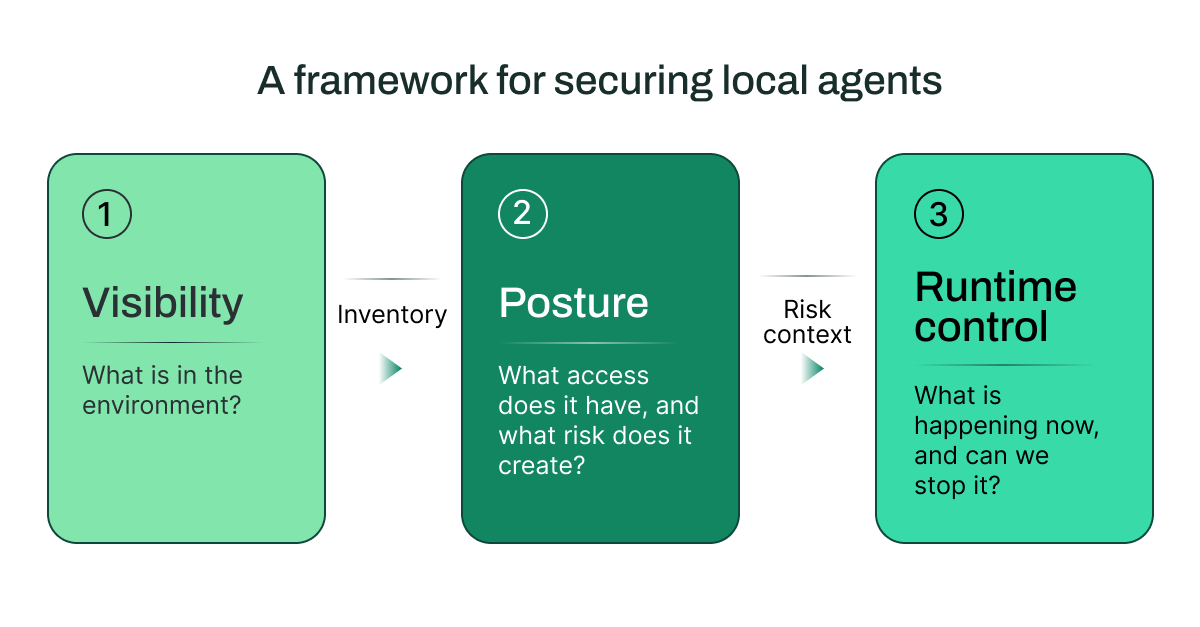
Each stage informs the next. Visibility establishes the inventory. Posture puts the inventory into context by mapping access, permissions, and blast radius. Runtime controls use that context to detect and prevent unsafe behavior in live interactions.
The developer’s failed-deployment scenario creates three security questions.
1. Visibility: What’s in the Environment?
Start with the agent itself. Who is using it? What files can it reach? Which MCP servers, tools, and skills extend its behavior?
In the example, security might know the developer uses a coding agent but not know that it can search the web, access a project directory containing configuration files, or use a connected deployment tool. An inventory of installed applications is not enough. Teams need visibility into the agent’s working environment and the components that define its actual reach.
With this view, the security team can move from asking, “Do we allow this agent?” to asking, “What does this agent connect to, and what capabilities does it bring into the environment?”
2. Posture: What risk does it create?
Next, map the agent’s effective access and potential blast radius.
For the failed-deployment investigation, the agent needs some access to the codebase. But does it also have access to secrets, production credentials, source repositories, or tools that can send data externally? Can an installed skill extend its behavior beyond the task at hand? Can an MCP server introduce untrusted content into the agent’s context?
For every local agent, teams should be able to answer:
- Which directories and files can it access?
- Which tools and MCP servers can it call?
- What permissions does it have, and what actions can those permissions enable?
- Which skills or MCP servers is it using, where did they come from, and what risks do they introduce?
Each component may be legitimate on its own. The risk emerges when they work together. An agent that can read local text presents a different risk from one that can read configuration files, call external tools, and modify deployment settings.
Posture helps teams decide where additional controls are required before an agent encounters a risky interaction.
3. Runtime control: Can we stop unsafe behavior?
Visibility and posture reduce uncertainty. Runtime control determines what happens when the agent retrieves that compromised documentation page and attempts to act on it.
Effective controls inspect the full interaction in real time: the user’s prompt, the model’s response, tool inputs and outputs, and the action the agent attempts to take. They should recognize when untrusted content is trying to redirect the agent and prevent the unsafe follow-on action.
The response should match the risk. A team may choose to monitor a low-risk interaction, redact sensitive data, block a tool call, or stop the action entirely.
Cato AI Security applies policies across prompts, responses, tool calls, and tool actions. It gives teams one control point, with deployment options across the network, endpoint, APIs, and integrations.
This is particularly important for prompt injection. A malicious instruction can be embedded in content an agent is asked to summarize or retrieve; it does not need to appear in the user’s original request. Runtime controls need to identify that instruction as it enters the agent’s context and prevent the agent from carrying out the unsafe follow-on action.
Shared Context Makes it Operational
Local-agent risk spans users, devices, applications, agents, data sources, and the network. When those views are disconnected, it becomes harder to understand how a risky interaction developed, and slower to investigate or respond.
Security teams need shared context: a way to connect an agent’s activity to its owner, the tools and data it accessed, the permissions behind those actions, and the policy decision that followed. This lets teams move from discovery to investigation to response without rebuilding the story across separate systems.
Cato brings agent security into a single control point, with deployment options across the network, endpoint, APIs, and integrations. This gives security teams the context to see how agents, users, data, and tools interact, and to apply consistent controls before risky activity becomes action. By combining an AI-first security framework with AI-native controls, Cato secures local agents today and the next generation of AI tools tomorrow.
Learn more about securing agentic AI at enterprise scale.


Related Articles





Cato Joins OpenAI’s Trusted Access for Cyber (TAC) to Advance AI-Driven Defense